Monitor Mayhem Main Menu UI
I was tasked with overhauling and re-designing the main menu for Monitor Mayhem. A now cancelled VR game for Meta Quest 2.
I initially designed everything in photoshop before moving into creating everything in Unity. All buttons have multiple states. I aimed to design as much of the UI using simple iconography with clear short wording if needed.
All images are captured directly from a prototype build in Unity. Video trailer is available at the bottom of the game showing some of the UI in use.
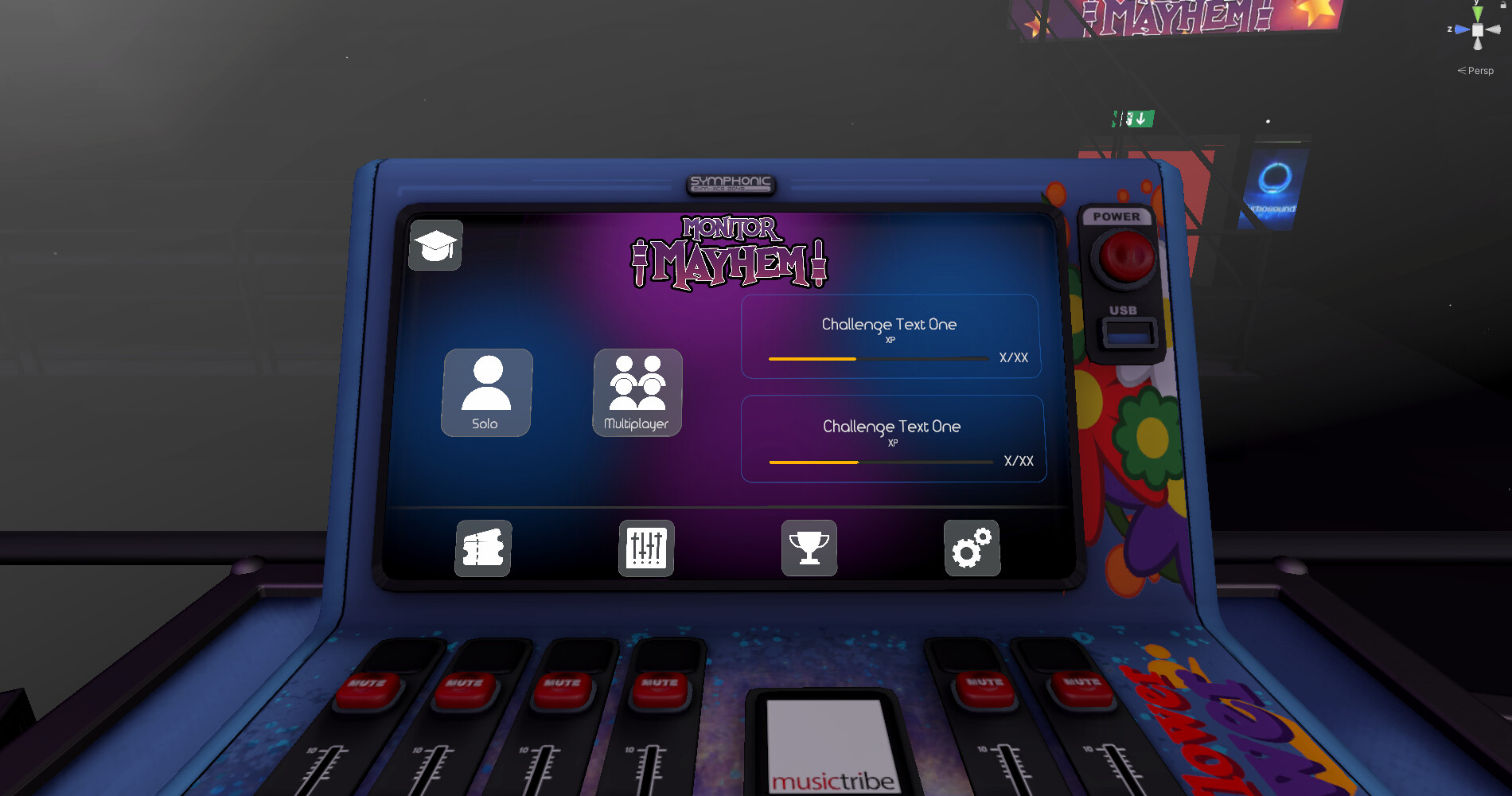
Main Menu

Tutorial menu option

Singleplayer game setup

Singleplayer end game

Multiplayer lobby selection. User can either join a random lobby, a specific lobby, or create their own.

Multiplayer game host menu

Enter lobby code screen

Multiplayer guest menu

Multiplayer end game screen

Leave lobby option screen

Customise menu

Add decals menu. This allows users to add decals to their player space and customise the look they want

Customise player space menu. This allows users to place various items around the play space which they can use to aid themselves or hinder the other team during a game.

Alter materials menu. This allowed users to change the materials on objects around them.

Tier progression menu. This was a way for users to keep track of what they have/will unlock during the game.

Stats menu page. This allowed players to keep track of various stats of their gameplay. They could then use the Meta app to track their position against other players around the world as well as their friends.

Challenges menu. Various tasks for the player to complete to award XP and allow them to unlock additional items in the game.

Main menu settings page.

Credits page

Error page. In case of any networking errors

Multiplayer score tracker. There is also a singleplayer version

In game pause menu

In game pause menu settings